Framework activity
Find why a form fails validation
A form can stay on the same screen without an application crash. Read the failed fields and rules before treating the response as an exception.
Choose the submission or update
Submit the form once, then select that POST or Livewire update profile. The original page request does not contain the later validation attempt. Use its exact response ID when several updates happen close together.
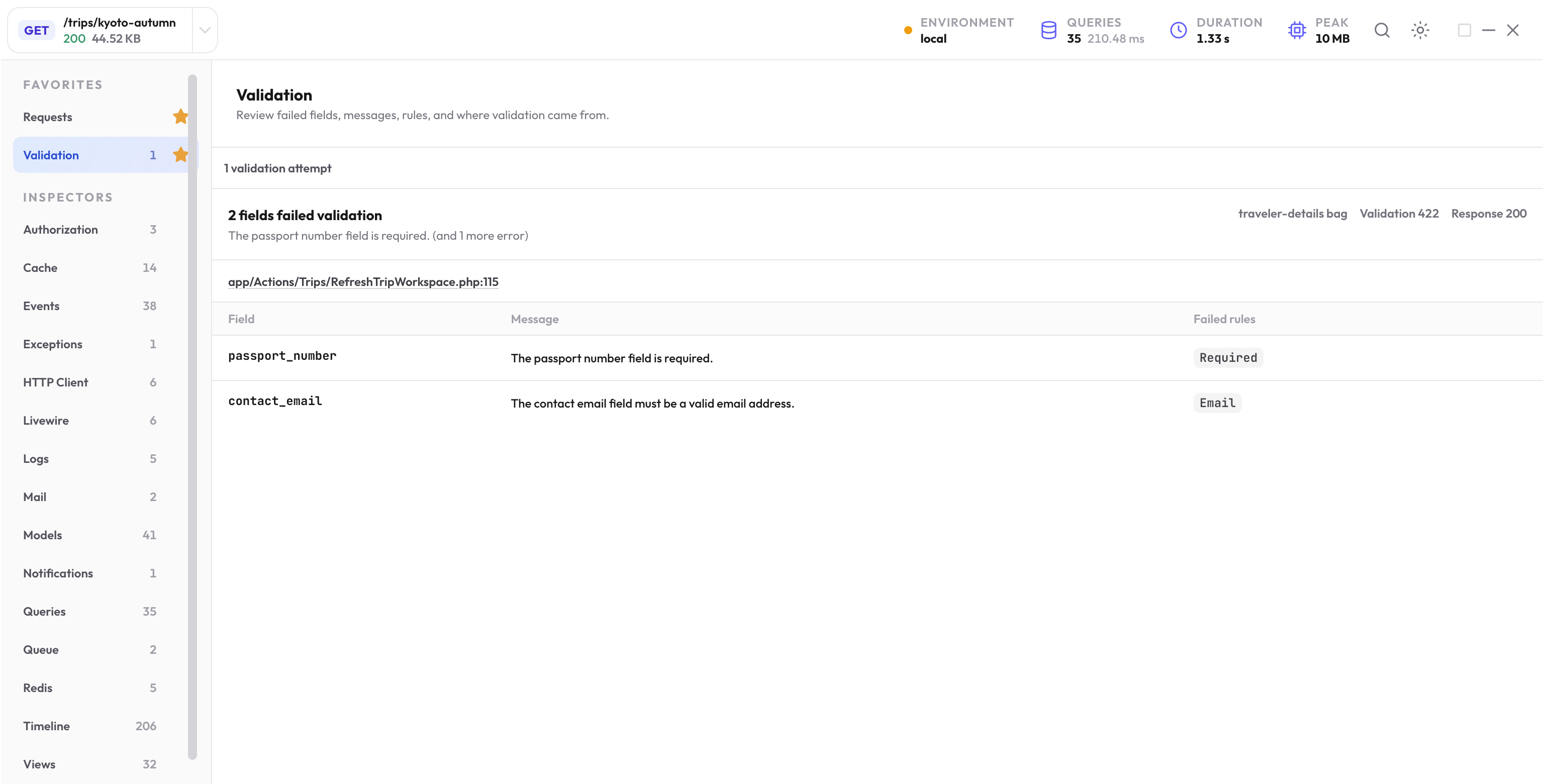
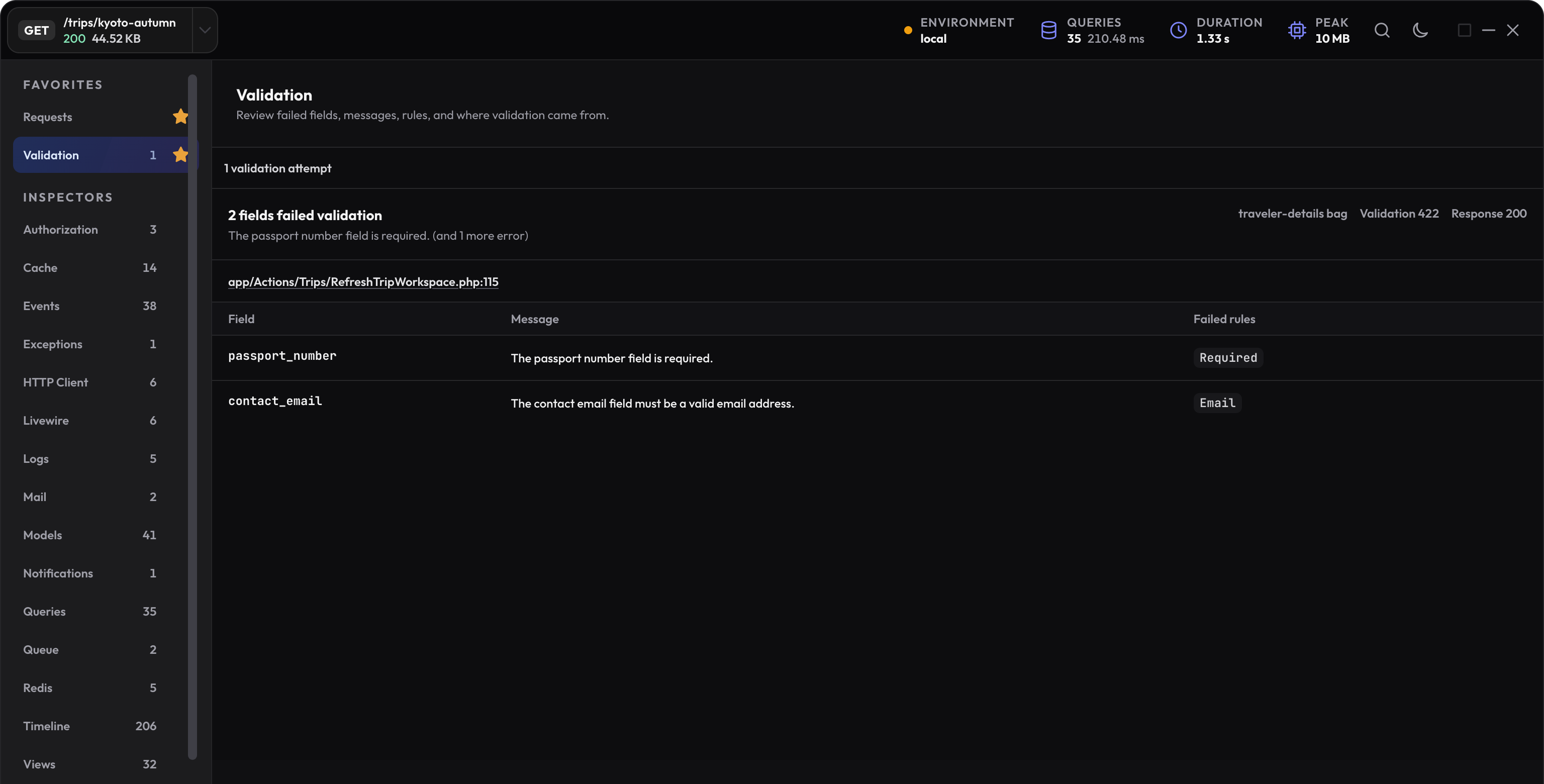
Open Validation and read the error bag, failed field names, messages, rule names, and available application or component source. A status shown for the validation failure can differ from the final response status.
Try a normal Laravel form failure
In an existing form action, validate the fields before saving. This example uses a named error bag:
$validated = $request->validateWithBag('traveler-details', [
    'passport_number' => ['required', 'string'],
    'contact_email' => ['required', 'email'],
]);
Submit an empty passport number and elise-at-example.test as the email. The failed rules should be Required and Email. Correct the input and submit again; the valid submission should continue into the action.
Understand the response you received
| Flow | What to inspect |
|---|---|
| A normal Laravel form | The redirect and named session error bag, alongside the failed submission profile. |
| A JSON request | The validation response and its 422 status when Laravel handles the failure normally. |
| A Livewire update | The update profile and component validation evidence; the response can still be 200. |
| A caught or custom-handled failure | The evidence that was actually recorded and the app’s final response. Do not assume every caught exception is captured. |
Connect a Livewire failure to the component
Open Livewire for the same update. Match the component instance and the property update or method call that triggered validation. Then return to Validation to inspect the field, rule, and message.
The benchmark’s planning controls are page-local drafts. Setting an invalid traveler count and submitting exercises a handled component failure; correcting the count lets the same action finish.
Test the failure and the valid path
For your existing POST route, a test can assert the expected named bag:
use function Pest\Laravel\post;

post('/travelers', [
    'passport_number' => '',
    'contact_email' => 'elise-at-example.test',
])->assertSessionHasErrors(
    ['passport_number', 'contact_email'],
    errorBag: 'traveler-details',
);
Use your app’s real route and required setup, then add a valid-submission test that checks the intended change. A lack of error rows alone does not prove the form saved correctly.
Use Exceptions and Logs for a separate thrown or reported failure. Framework details are in Laravel’s validation guide.