Framework activity
See which Eloquent records moved through the request
Group model retrievals and lifecycle writes by class and source, then connect repeated records and changed attributes to the queries and code that produced them.
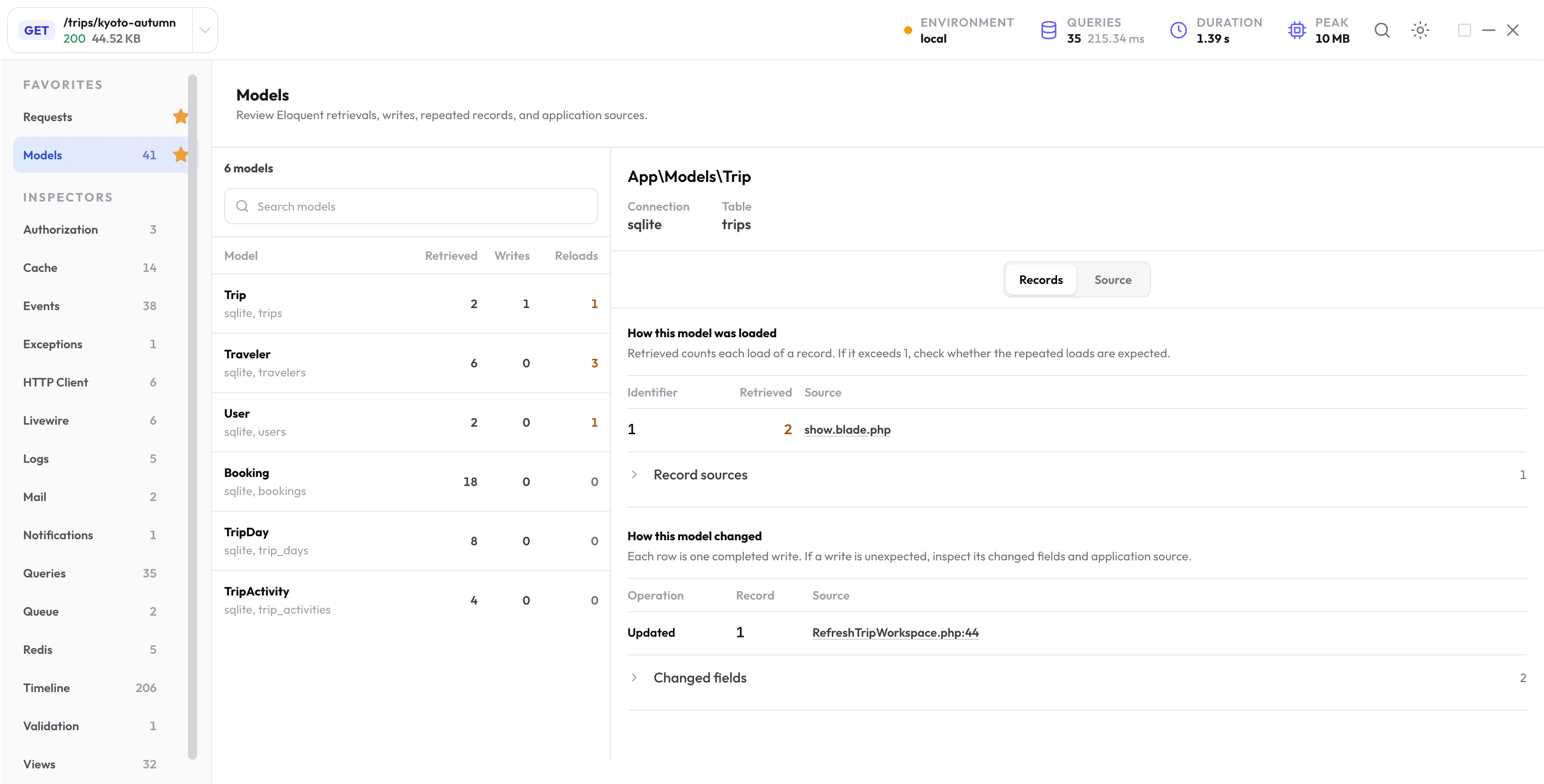
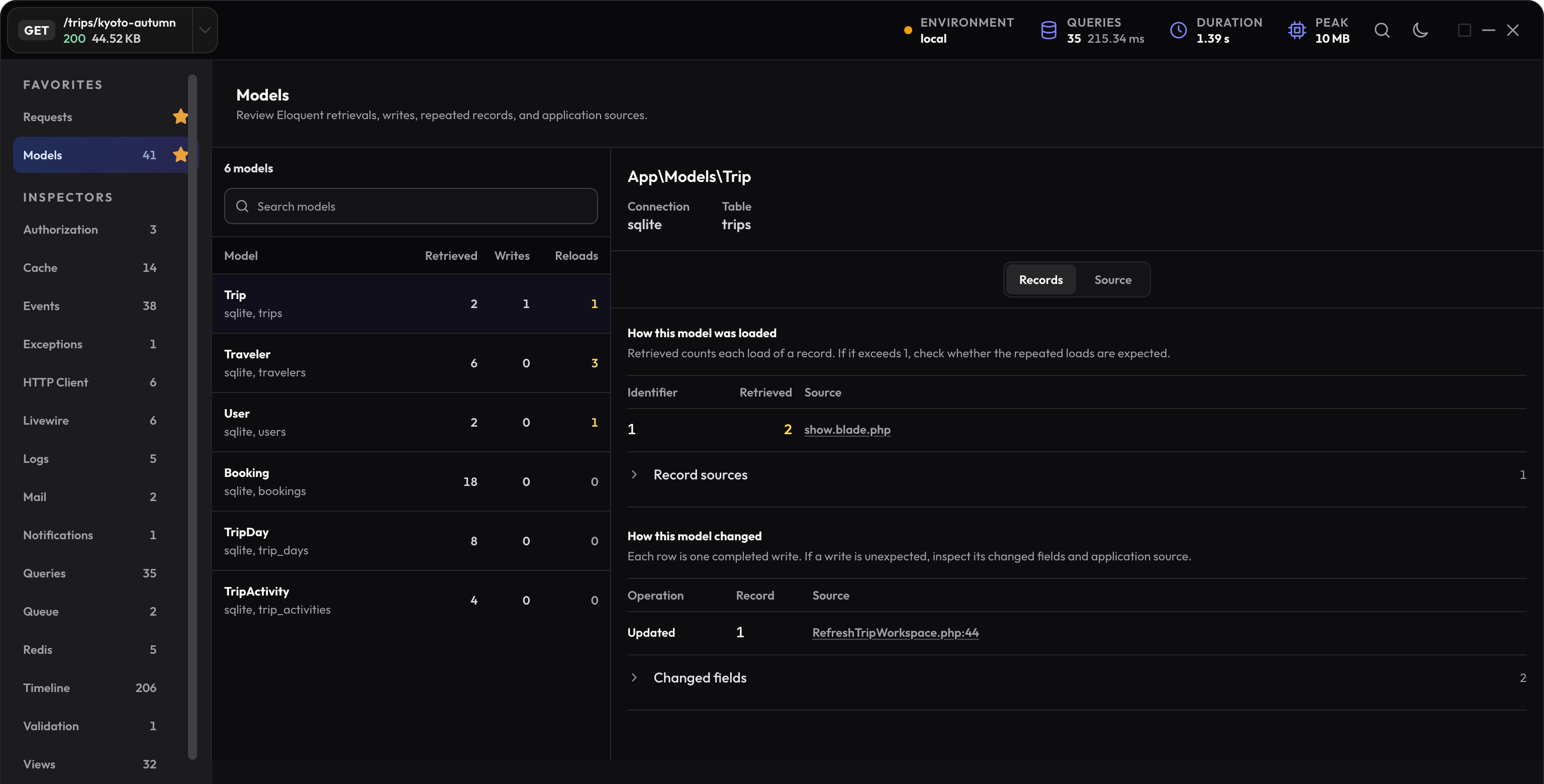
Start with the model groups
The Models inspector groups activity by model class, connection, table, source, and logical operation. This keeps a busy lifecycle readable without hiding the underlying retained records.
- Use retrieval counts to spot models loaded more often than the page needs.
- Use record identifiers to see whether repetition affects the same rows or many different rows.
- Use source groups to separate model work started from different controllers, resources, jobs, or views.
- Use logical write operations instead of counting every Eloquent lifecycle event as a separate write.
Investigate retrievals
A large retrieval count is not automatically a problem. Check how many unique records were loaded, whether the same record appears repeatedly, and which source caused each group.
Repeated retrievals often point to relationship access in a loop, duplicated resource work, accessors that load data, or several layers requesting the same model. Confirm the matching query pattern before deciding whether eager loading, batching, or reuse is appropriate.
Review logical writes and changed attributes
Created, updated, deleted, restored, trashed, and force-deleted model activity is folded into logical operations. Open one operation to inspect the record key, changed attributes, lifecycle events, timing, source, and related database work.
Use repetition as a lead
-
Choose the repeated model group
Confirm the class, table, operation, record count, and source group. -
Compare record identifiers
Decide whether one record is touched several times or a collection triggers one operation per record. -
Open the source and related query
Follow the retained application location into the loop, relationship, resource, observer, or helper that controls it. -
Repeat the same request
Confirm the model and query shape changed without removing needed lifecycle behavior.
Connect models to database queries
Model evidence explains what Eloquent did; query evidence explains what the database executed. Use source-based correlation and related query counts to move between the two views without assuming every query maps to one model event.
When retrievals grow with a collection, open Queries to inspect normalized SQL, changing bindings, and likely N+1 findings.
Example: the same record is loaded twice
Two layers can retrieve the same model when one already has it:
$trip = Trip::query()->findOrFail($tripId);

// A later part of the same request loads it again.
$sameTrip = Trip::query()->findOrFail($tripId);
Open the model group and compare retained identifiers and sources. One repeated record is a different problem from loading a large collection once. Pass the already-loaded instance to the next operation when it represents the same required state.
If the later code intentionally needs fresh database state, keep that requirement. Reducing a retrieval count is not a reason to reuse stale data.
Trace an unexpected write beyond the controller
Open the logical write and its changed attributes, source, lifecycle evidence, and related SQL. An observer, listener, or model hook may perform a write after the controller’s visible work.
The benchmark updates a trip’s refresh timestamp deliberately. A write in that profile is expected. In your own app, compare the changed fields with the intended action and inspect Events and listeners when the source points to a lifecycle callback.
Verify records as well as counts
- Compare the same model identifiers and the response that uses them.
- Confirm needed attributes and relationship ordering are preserved.
- Check the actual database values for a write, including whether its transaction committed.
- Use related SQL as supporting evidence rather than assuming every model event maps to one query.
Next step
Inspect the SQL behind model work
Use repeated query shapes, bindings, duration, EXPLAIN, and application call sites to confirm the database cause.
Open the query guide