Laravel ecosystem
Connect a Livewire action to its server work
Select the update request created by the browser action, then inspect the component instances, lifecycle activity, validation, queries, views, and events captured for it.
Livewire compatibility
The New Debug Bar uses Livewire 4 for its own interface and can inspect host applications that use Livewire 4. Your Laravel app does not need to use Livewire, but an app that still depends on Livewire 3 cannot install the package.
Choose the update request
A first page render and each later Livewire update are separate server requests. Perform one browser action, open the request picker, and select the new Livewire profile instead of staying on the original page profile.
- Match the request time to the click, input, submit, poll, or event you just triggered.
-
Use the exact
X-NewDebugBar-Profileresponse header when similar updates are close together. - Reselect the update after related activity appears; the active profile should stay the action you are debugging.
Inspect component identity and state shape
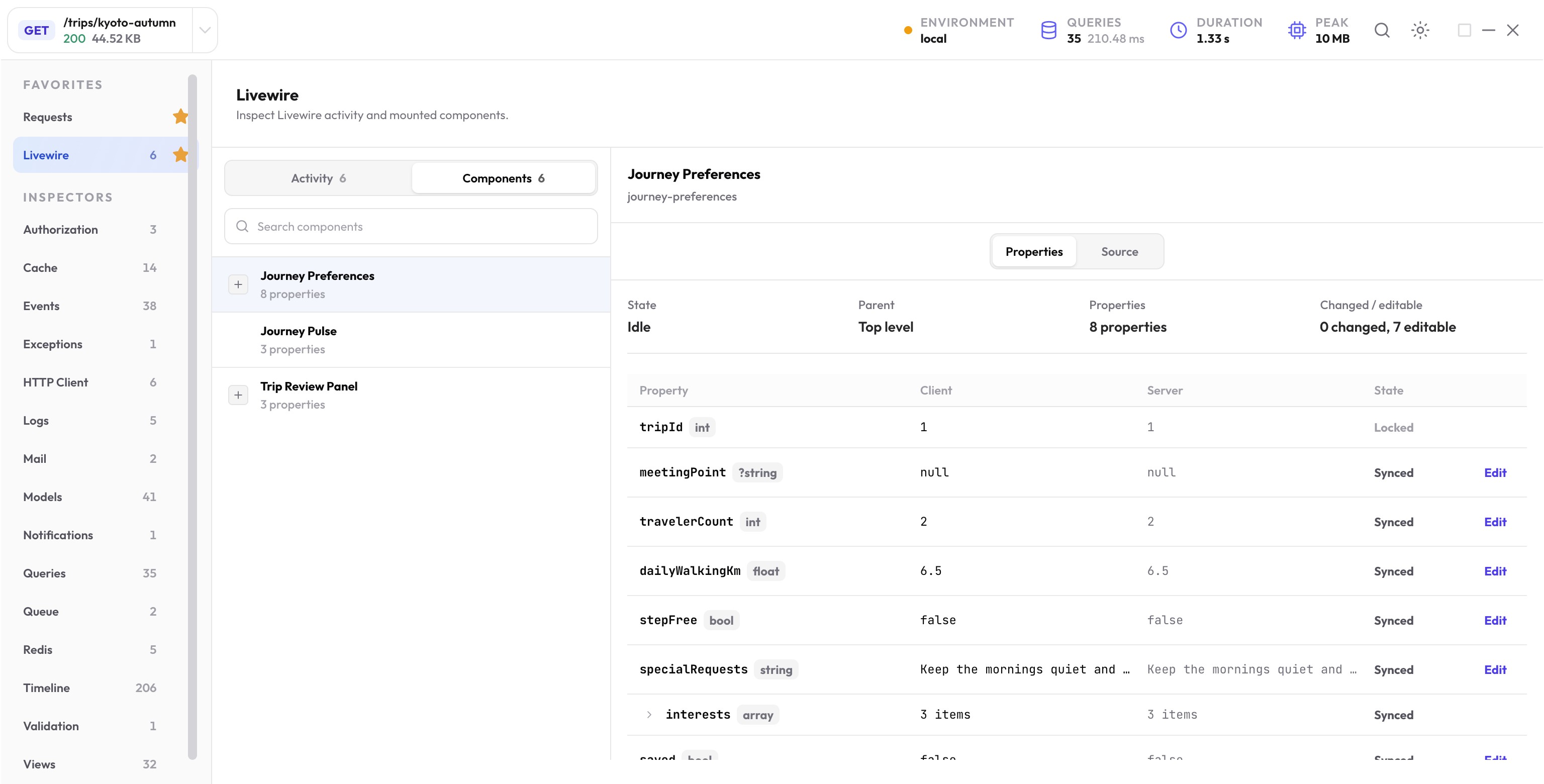
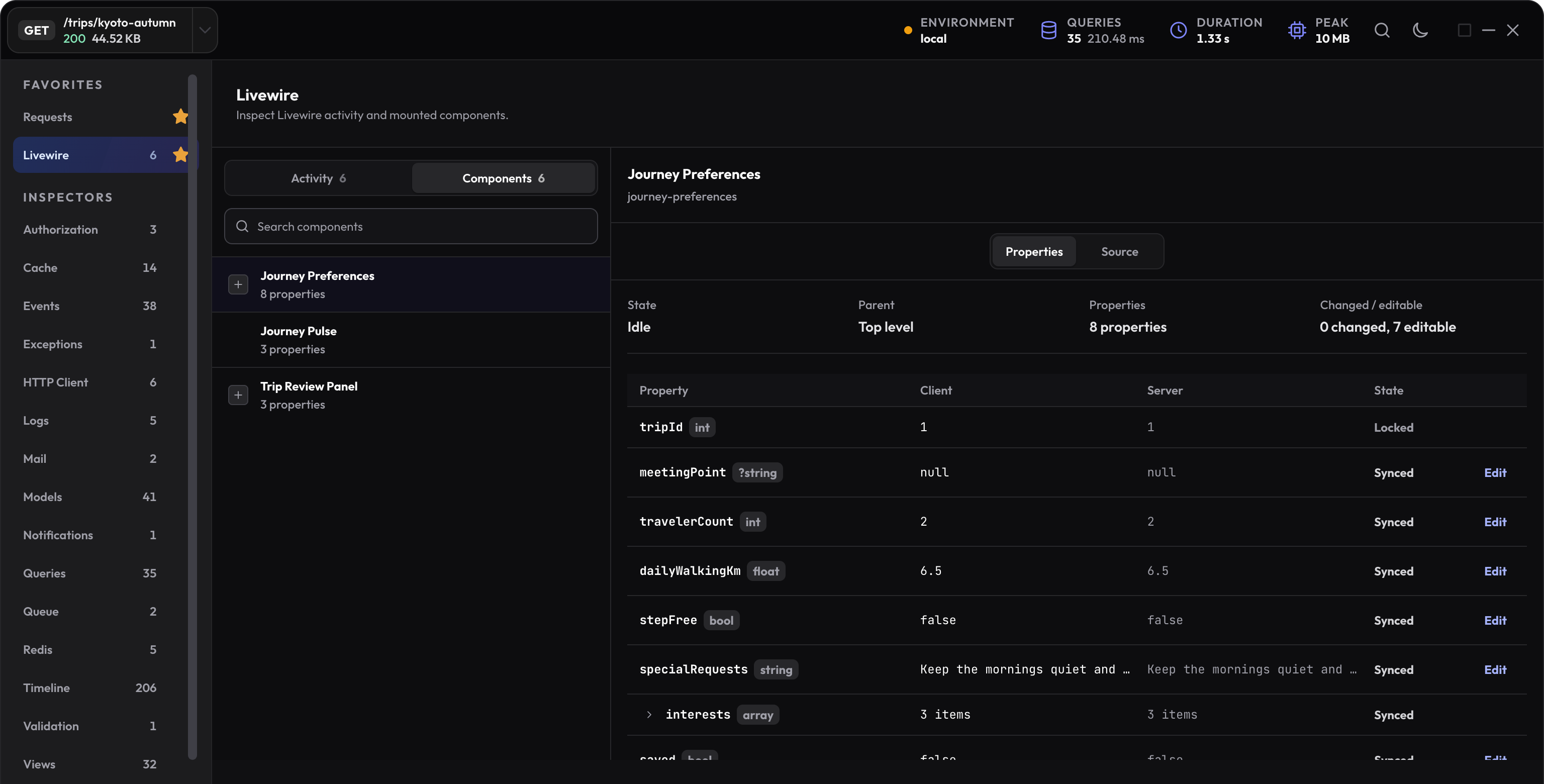
The Livewire inspector lists component instances by name, class, source, view, ID, and parent relationship. It also describes public properties without storing the framework’s full component snapshot.
Use instance identity and parentage when the same component appears more than once or a nested child behaves differently. Open the source attached to that instance instead of searching by component name alone.
Follow component activity in order
The New Debug Bar records bounded host-component activity such as mounting, hydration, property updates, method calls, rendering, dispatches, redirects, streams, downloads, and failures when Livewire exposes that lifecycle evidence.
-
Find the component instance
Confirm its class, source, view, and parent before following the activity rows tied to its ID. -
Locate the user action
Look for the changed property or called method that corresponds to the browser interaction. -
Open related framework evidence
Check Queries, Views, Events, Models, Logs, or Exceptions for the same update profile. -
Repeat only that action
Verify a fix against the same update rather than comparing it with the full page render.
Trace validation failures
Handled validation failures can return a normal Livewire response, so an HTTP status alone may not explain why the interface did not advance. Open Validation for failed fields, messages, rules, and source, then connect the entry to the component activity that triggered it.
Edit a supported live property
On the benchmark’s Kyoto page, open Livewire, choose Components, and select JourneyPreferences. Its travelerCount starts at 2. Open the property’s edit control, change it to 3, and apply the edit.
Check the mounted form and the new update profile. The form should now show three travelers. The package uses the normal Livewire update path, so application hooks, validation, rendering, and other normal behavior can run.
| Property state | What it means |
|---|---|
| Editable primitive | A supported string, number, boolean, or null value on a mounted component can be edited when its descriptor allows it. |
| Editable array leaf | Only eligible primitive leaf values are editable. Expand the array and use the offered control. |
| Locked | A locked property such as the example’s tripId is not editable. |
| Dirty or updating | The browser value and confirmed server value are not yet the same, or an update is in progress. |
| Unmounted or unsupported | Inspect the retained information; do not expect a live edit control. |
Follow an invalid update through recovery
The benchmark validates travelerCount between 1 and 8 when preferences are submitted. Use 0 in its normal form, submit, and inspect the resulting Livewire profile. Then correct the value to 3 and submit again.
The first attempt should show the failed rule and component context in Validation. The valid attempt should let the component finish its action. Compare the same component and method rather than the original full page render.
Separate mounted state from saved evidence
Components can show live browser state and the last confirmed server values while the component remains mounted. Server profiles retain bounded component metadata, descriptors, and supported server activity. Some browser traces exist only in the current page.
MCP can read retained server activity through paths such as /inspectors/livewire/payload/activity_records. It cannot edit the mounted component or recreate browser-only state after navigation.
If an edit is unavailable, confirm the instance is still mounted, the property type is supported, and the UI’s stated write restriction. Reopening a historical profile does not remount its component.
Next step
Manage related request profiles
Learn how to keep a page render, Livewire update, and later background activity separate while you debug.
Open the requests guide